Simple food status
With Pro, mark each food Enough, Low, or Out and add an optional best-by date without tracking exact quantities.
Private by design

Family Fridge
One calm fridge on this iPhone
Keep one clear fridge, Shop list, and local activity history on this iPhone.
Track food, build a focused Shop list, and review receipt suggestions on this iPhone with no separate account, ads, analytics, or tracking.
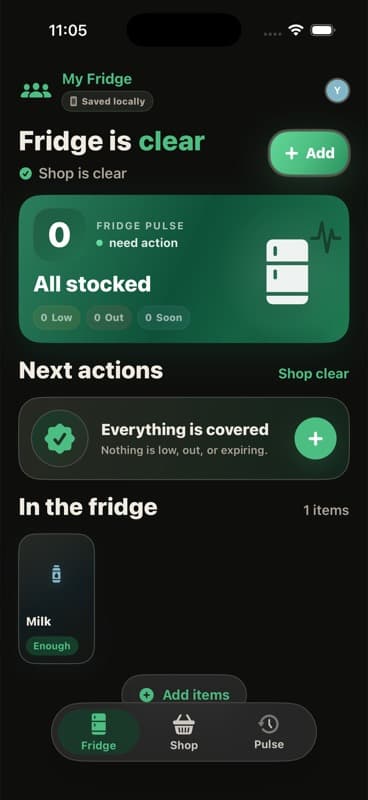
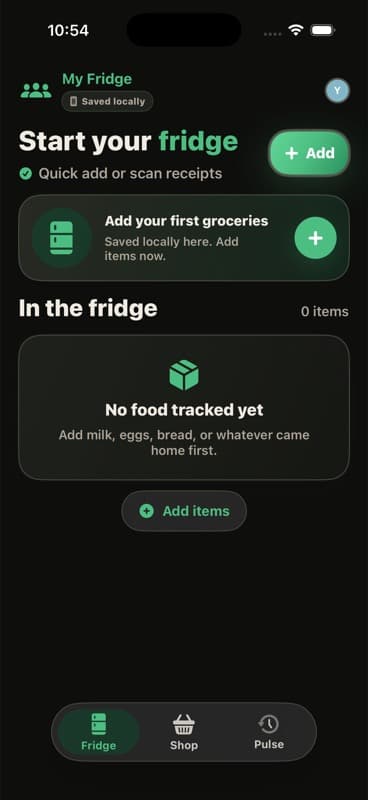
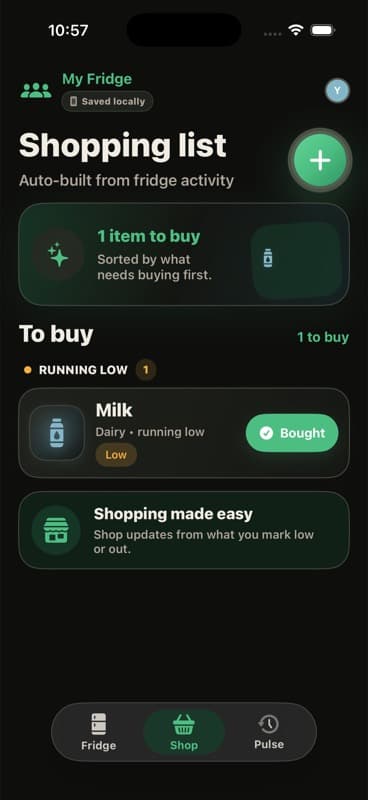
Product tour
One job per screen. Tap a capability to see it.
Feature 1
With Pro, mark each food Enough, Low, or Out and add an optional best-by date without tracking exact quantities.
Why Family Fridge?
Speed to value plus privacy-first defaults—so the first session earns the install.
With Pro, mark each food Enough, Low, or Out and add an optional best-by date without tracking exact quantities.
Low and Out foods form a focused Shop list. Mark Bought to return a food to Enough, and use Pulse to review local activity.
With active Family Fridge Pro, scan a grocery receipt on supported iPhones and review normalized item suggestions before saving. Manual entry remains available.
Questions
The questions people ask right before they hit Download.
FamilyFridge does not provide cloud sync. Version 1 keeps your fridge, Shop choices, Pulse history, unfinished Quick Add draft, and preferences on this iPhone. iOS may include app data in an iCloud Backup or computer backup according to your Apple settings.
Receipt scanning is a Family Fridge Pro feature, and camera access is used only when you choose it. Raw receipt images and the full OCR transcript are not saved. Normalized grocery item suggestions can remain in an unfinished local Quick Add draft until you add or discard them, use Clear Fridge Data, or remove the app. Manual entry remains available when camera access or document scanning is unavailable.
Family Fridge requires no separate Family Fridge account. An Apple Account may be required by the App Store to purchase or restore Family Fridge Pro. Pro is an auto-renewable App Store subscription that unlocks local editing, receipt scanning on supported iPhones, and the local-only widget. Your saved fridge remains available to browse if Pro becomes inactive.
Fridge records, Shop choices, Pulse history, unfinished Quick Add drafts, and preferences stay in app-owned containers on this iPhone. The Family Fridge app group contains the item-level cache needed by the local-only widget. Family Fridge does not send fridge data to Synap1e-operated servers and has no ads, analytics, or tracking.
Fridge records remain until you change or delete them, use Clear Fridge Data, or remove the app. Clear Fridge Data removes fridge items, Shop choices, Pulse history, unfinished Quick Add drafts, recovery backups, and inventory-derived widget content from this iPhone while keeping preferences such as the fridge name and haptics setting. It does not cancel Family Fridge Pro, erase the separate widget access record, or cancel an App Store subscription. Apple-managed backups are controlled separately in Apple settings.
Email support@synap1e.com. Public contact path: mailto:support@synap1e.com.
Premium iOS craft—privacy-first defaults, conversion-ready product pages, zero template feel.
Coming soon
Join the list for launch updates and support.
Compatibility
Available on iOS.